
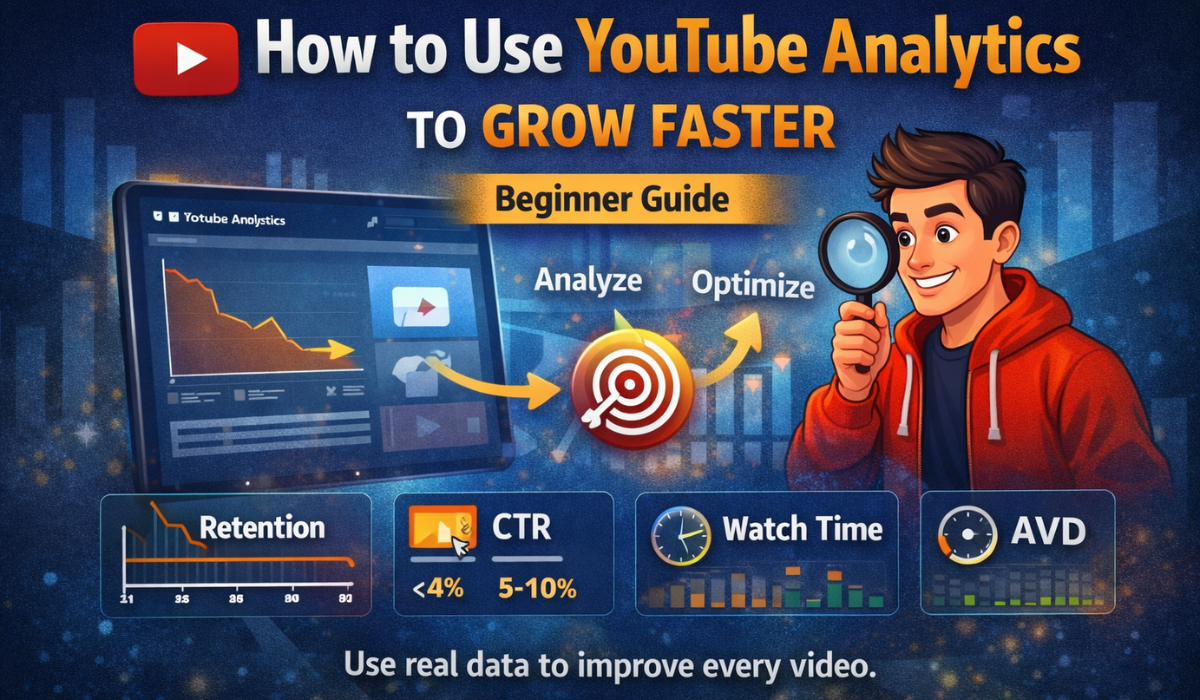
You are consistently posting new videos, but you feel completely stuck because you do not know what is actually working. You check your view count every hour, hoping for a random spike, but guessing your way to growth never works. The problem is you are flying blind. The solution is already sitting inside your YouTube Studio. Analytics shows you exactly what to fix and what to repeat. If you want to stop blindly uploading and start systematically growing, this guide will show you how to turn confusing data into your unfair advantage.
Why Analytics Matters
Most beginner creators completely ignore their data. They treat YouTube like a lottery, assuming that if they keep uploading, one video will eventually go viral. This is the fastest way to burn out and quit.
Real, sustainable growth comes from measuring your performance and actively improving. Analytics removes the emotion from content creation. It tells you the cold, hard truth about why a video failed and gives you the exact blueprint for making your next upload successful. When you use data properly, you transition from hoping for views to engineering them. You stop guessing what your audience wants and start optimizing based on their actual behavior.
Key Metrics You MUST Track
You do not need a degree in data science to understand YouTube Studio. You only need to focus intensely on these four core metrics to see massive changes in your channel’s trajectory.
1. Retention Rate This graph is the heartbeat of your video. It shows exactly where people are watching and where they drop off. If you see a massive drop at the 3-second mark, it means you have a bad hook. Average view duration shows how long people actually stay – higher = better retention quality
2. Click-Through Rate (CTR) This measures how many people actually clicked your video after seeing the thumbnail and title on their feed.(CTR depends on niche new channels may start lower)
- A CTR of <4% means your packaging is weak and needs immediate work.
- A CTR of 5 – 10% is a strong signal that you are successfully grabbing attention.
3. Watch Time YouTube has one goal: keep people on the platform. The longer someone watches your video, the more total watch time you accumulate. More watch time equals a massive algorithmic push to new viewers.
4. Views vs Impressions Impressions are how many times YouTube showed your thumbnail to potential viewers; views are the actual clicks. High impressions but low views mean the algorithm tried to help you by pushing your content, but your bad packaging failed to secure the click.
How to Analyze a Video (STEP-BY-STEP)
Data is useless if you do not know how to read it. Here is the exact workflow you should use 48 hours after publishing any video.
- Step 1: Open analytics: Go directly to YouTube Studio on your desktop or app and click on the specific video’s analytics tab.
- Step 2: Check the retention graph: This is the most important chart. Look at the line from 0:00 to the very end of the video.
- Step 3: Find drop points: Identify the exact timestamps where the graph takes a steep dive. Did you start rambling? Did you ask them to subscribe too early? Did the visual edit get boring?
- Step 4: Improve the next video: Take aggressive notes on those mistakes and completely remove those specific behaviors from your next recording.
A Real Example of Data-Driven Execution
Let’s apply this to a real scenario. Imagine you just uploaded a highly requested tutorial on “BGMI advanced sensitivity settings.” You put hours into the edit and the thumbnail is highly cinematic, but the video is dead on arrival.
You open the analytics and check the retention graph. You notice a massive, 45% cliff-drop right at the 2-second mark.
What does this tell you? It tells you that your hook failed completely. Maybe you started the video with a long, 10-second animated intro logo, or maybe you spent the first 15 seconds saying, “Hey guys, welcome back to my channel, don’t forget to like and subscribe.” The data proves that the viewers got bored instantly and swiped away.
The fix is simple: If people leave at 2 seconds, you must fix the hook. For your next video, delete the intro entirely and start speaking immediately about the sensitivity settings. Let the data dictate your edits.
Common Mistakes to Avoid
Even when creators start looking at analytics, they often fall into these growth-killing traps:
- Ignoring analytics: Treating the Studio app as just a vanity view counter rather than a diagnostic tool to fix your channel.
- Focusing only on views: Views are a lagging metric. They are the result of good CTR and high retention, not the starting point. Fix the foundation first.
- Not improving the next video: Looking at a bad retention graph, shrugging your shoulders, and then making the exact same structural mistakes in the next upload.
Your Action Plan
If you want to become a data-driven creator, you must build a ruthless system. Follow this cycle:
- Check analytics after every upload: Wait 24 to 48 hours for the algorithm to gather enough data.
- Find the weak link: Was it the CTR (thumbnail/title) or the retention (hook/content)? Pick the one that performed the worst.
- Improve 1 thing per video: Do not try to change your entire style overnight. If your CTR was terrible, your only goal for the next video is to design a better thumbnail.
- Repeat: Keep iterating.
Essential Internal Links
Understanding your data is just one piece of the puzzle. To fully master the platform, you must understand how this data feeds the wider system.
- Learn exactly how these metrics directly control your reach in [YouTube Shorts Algorithm Explained].
- Discover advanced psychological strategies for boosting your clicks in [YouTube Thumbnail CTR: 5 Proven Tricks to Increase Clicks]
Stop guessing. Use data. Improve every video. That’s how channels grow